xcribe, a year later: an Apple rejection, and why I split the app in two
I wanted a simple voice-to-text app without servers, ads, or tracking. So I built xcribe. 1.4K downloads, a fight with Apple over Accessibility permissions, and one hard decision later, here is the full story.
It started with a problem. I wanted a simple voice-to-text app for my Mac. Every alternative I found had a catch. They used remote servers, they had ads, or they tracked what I was doing.
I care a lot about privacy and security. I just wanted a tool that did one thing and did it well, without sending my data away. So I built xcribe: private, secure, offline transcription that works anywhere on your Mac.
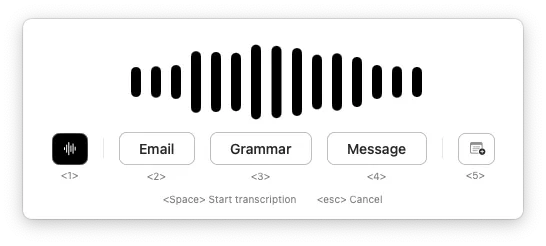
My philosophy was simple. I believe that a tool like this should provide privacy and security by default, and it should be free. Anything on top of that is just extra.
I launched it completely free for its core purpose. I did not spend money on marketing. I just wrote free posts on LinkedIn and Reddit. In fact, my post on the MacApps subreddit was my first ever post on Reddit.
I believed that if the product was good enough, word would spread. The response blew me away. We recently crossed 1.4K total downloads. xcribe even got featured on ifun.de and AlternativeTo. But the numbers are not what matters. The people are what matter.
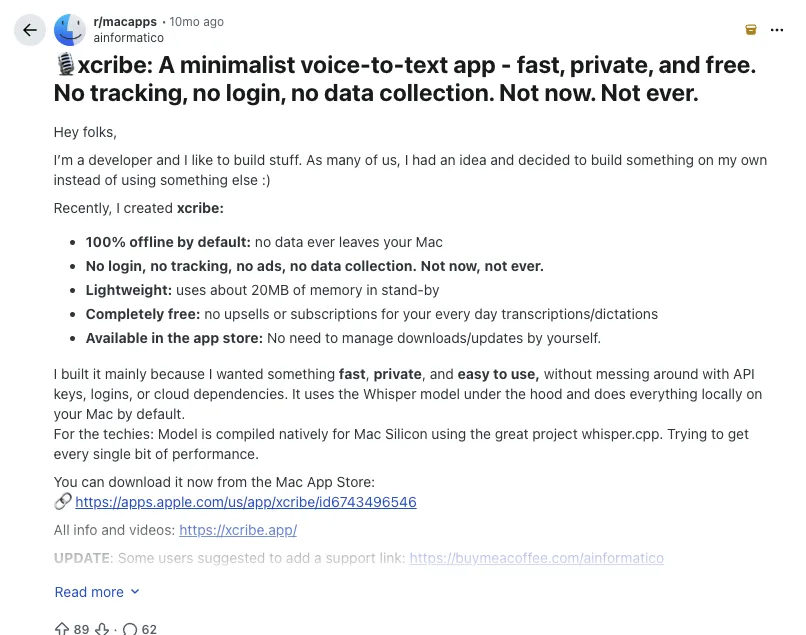
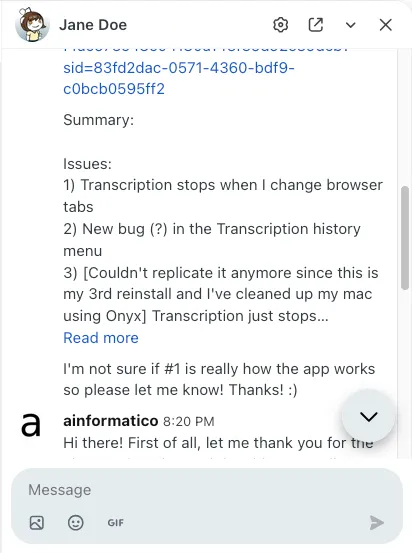
I got contacted by 17 different people on Reddit alone on the first day. The community there was amazing. Users sent me incredible feedback. They recorded full screen videos of bugs and even suggested why things were broken and how to fix them.
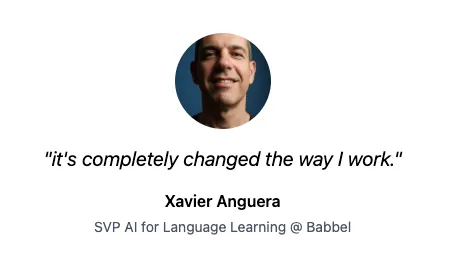
My inbox started filling up across email, LinkedIn, and Twitter. Enterprise consultants in the US. Developers in Switzerland, Germany and Spain. Book writers in the UK. An SVP at Babbel. Students across Europe. Everyone had different needs, but one thing in common: they cared about privacy.
Learning Mac Development and Using AI
Before xcribe, I had no idea about the Mac development ecosystem. It has been a great learning path for me. I come from an industry where I can deliver value to users in a matter of minutes. Apple development is different. A simple change can take hours or even days to test, build, and distribute.
To move faster, I built this app as an AI executed project. About 60% of the code is AI generated, and 40% are improvements made by me. I work with detailed prompts explaining the technical details of what I want to achieve, and then I let the AI execute that plan. This allowed me to focus on the product and the security instead of fighting the syntax of a new language.
The Proxy Mistake
In software engineering, you sometimes build things people do not actually want.
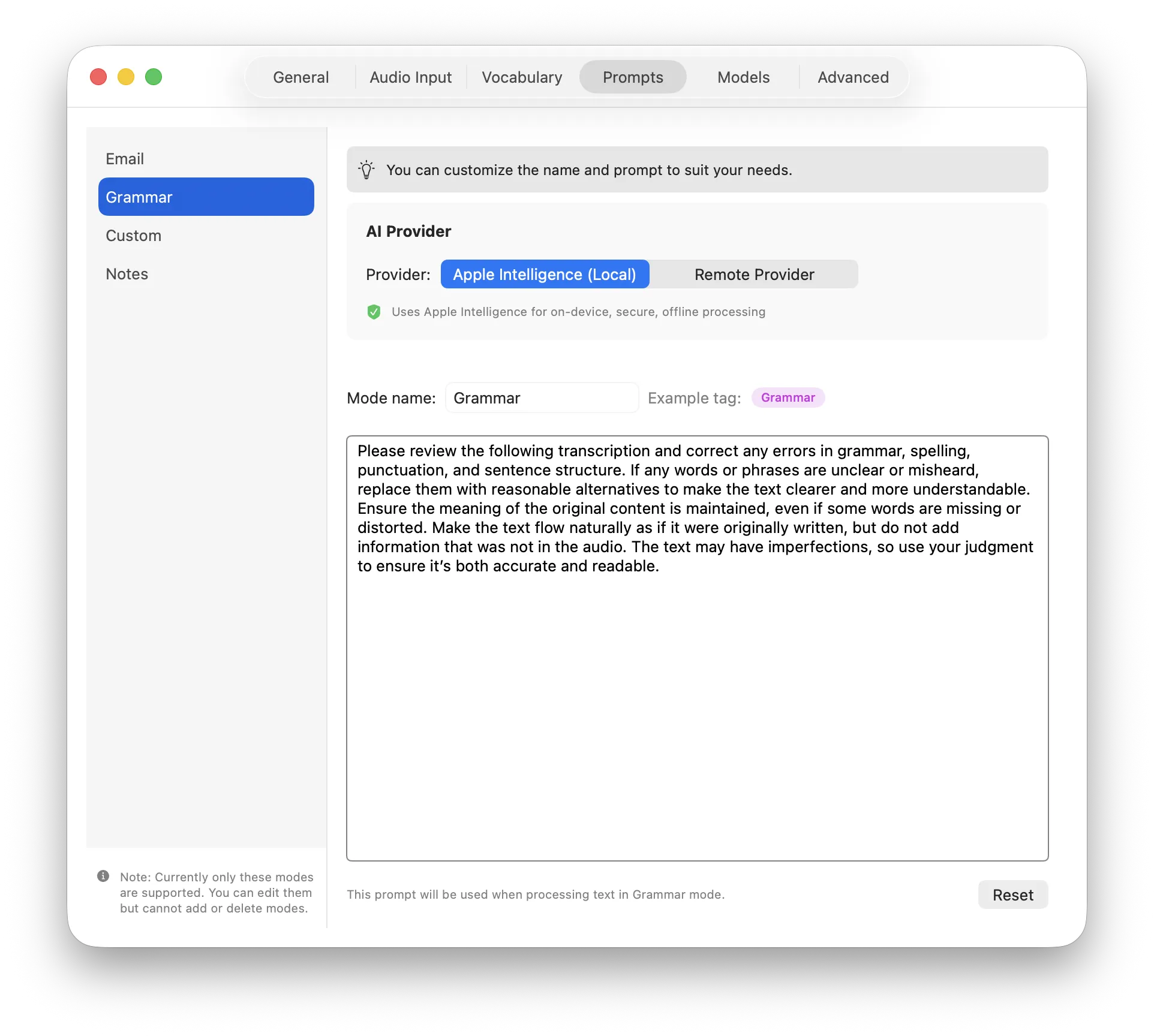
I wanted to add an “Extended Mode” to format and summarize transcriptions using AI. My initial idea was to host a proxy server. This server would make requests to remote providers like OpenAI on behalf of the user to preserve their anonymity.
However, users told me they did not really want that. It was great feedback.
Because of this, I changed the architecture. In version 0.6.0, xcribe added support for Apple Intelligence for 100% local, secure, and private transformations. If users want to use remote services for more complex transformations, they can plug in their own API keys safely into their Apple Keychain. No proxy needed.
Zero Tracking (The Submarine Rule)
There is one technical detail I am very proud of. xcribe has absolutely no tracking.
I rely purely on users to report issues and improvements. If something breaks for you, I have no idea. And I want to keep it this way. I do not want to run software that sends me data about usage or crashes. This also pushes me to ensure that what I release is solid and well-tested.
I believe in the old school method. If you truly care about a tool, you will contact the developer. This strict rule allows me to keep full privacy. The only time xcribe pings home at all is an optional check for new versions, no usage data, no crash reports, nothing else. Turn that off and every feature still runs completely offline. You could use it in a submarine and it would work perfectly.
The Apple Rejection
This release, v0.7.1, took a lot longer than planned. Not because of the features. Because of Apple.
xcribe’s most useful feature is also its simplest: press a shortcut, talk, and the transcribed text appears wherever your cursor is. To do that, it simulates keyboard input via AXIsProcessTrusted(), the standard, official macOS API for this, nothing custom or hidden. Apple rejected the update anyway, citing Guideline 2.4.5: Accessibility access requested but not used “for accessibility purposes.”
I pushed back. xcribe is, in practice, an assistive tool for people with motor impairments, RSI, carpal tunnel, and arthritis, who use it so they do not have to type or copy-paste by hand. Apple’s follow-up confirmed the exact use case I described, that xcribe uses Accessibility “to allow paste of transcribed text”, and rejected it anyway.
I escalated and got a call with someone from Apple in California. Pleasant conversation, but it did not move the needle. Their advice: check the Apple Developer Forums and see how other developers were working around the same restriction. On the decision itself, they were unambiguous: no Accessibility permissions for xcribe, no exceptions.
I could have quietly stripped auto paste and moved on. Instead, I made a harder call: split the app.
- App Store version: simpler, no auto paste, missing a few features that depend on it, but it keeps the one-click install experience people expect from the store.
- Direct download version: the full app, auto paste included, distributed straight from xcribe.app, outside Apple’s review process.
Both are, and remain, completely free.
This was not an easy decision. Moving people off the App Store adds real friction. It is no longer “search, click, install.” Users have to trust a direct download, notarized and signed, but still a step most people are not used to taking. I do not take that lightly. But keeping the app whole, with the feature that makes it genuinely useful for the people who need it most, was worth that extra step.
The Numbers
Before we get to the numbers, a quick disclaimer. I do not track anything inside the app. The numbers below come from App Store Analytics. This is data that Apple automatically collects with the explicit consent of the user when they set up their Mac. I have no control over this collection process, but it does give me a glimpse into how the app is doing.
- 1.44K Total downloads as of March 2026
- 6.4 Average sessions per user per day
- 29.8% Conversion rate from the App Store page
- Top countries: Germany, United States, Australia, and Japan
This Release Is Not Mine, It’s Ours
Every feature since I started, Apple Intelligence support, audio input selection, custom AI providers, model selection per mode, came from real conversations, real feedback, real use cases people shared with me. I just wrote the code. The direction came from all of you.
That is the thing about building something you believe in and giving it away for free. It connects you with people you would never meet otherwise.
What is Next?
I will continue to run xcribe as a side project. I love getting to know amazing people around the world through it.
There are some new improvements to make, but the core will remain the same. It will always be simple, easy to use, and above all, private and free for its core purpose. Some things matter more than revenue.
Thank you for trusting me with your work, for the bug reports, the feature ideas, and for just saying hello. You made this first year incredible ❤️.